Theme Colors and Schemes
Deneb provides some means to bind to your report's current theme, in the form of:
- Expression-based access using a custom function
- Custom Vega Color schemes
This functionality will dynamically reference the theme at run-time, meaning that if you change your colors, Deneb will keep these references in sync.
Expression-Based Access Using pbiColor
Deneb provides a custom function, named pbiColor, that you can use in Vega or Vega-Lite expressions:
pbiColor(index|name, shadePercent = 0)
-
The first parameter (
indexorname) provides access to the associated theme color:-
indexis a zero-based reference to the Power BI theme palette. This means that:0= Theme color 11= Theme color 22= Theme color 3- ...and so on
-
nameis a string value (surrounded by single quotes) that specifies a named color from the theme configuration. Valid names are:min/middle/maxfor divergent colors.negative/neutral/positivefor sentiment colors.- Power BI also exposes
badandgoodfor sentiment colors, which can also be used instead ofnegativeorpositive, should you prefer to use these instead.

-
-
shadePercentis optional, and is a decimal value between-1(-100%) and1(100%).- If supplied, this will darken (< 0) or lighten (> 0) the color by the specified amount.
- This is to provide variants of the theme colors, much like how Power BI does in its color picker.
For example, to specify a bar mark's color to use Theme color 1, you could use the following in your mark's properties:
{
  ...
  "mark": {
    ...
    "color": {
      "expr": "pbiColor(0)"
    }
  }
}
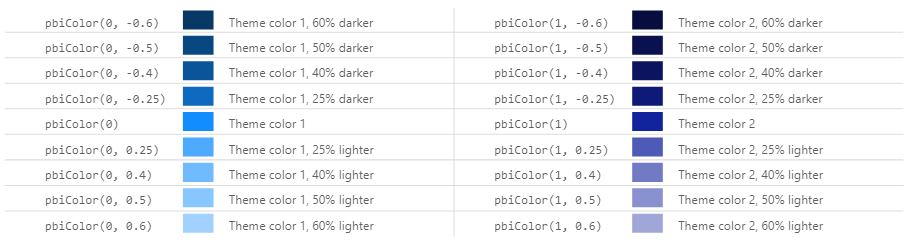
Assuming that you are using the standard theme, output should look like the following for the theme's first two colors (#118DFF and #12239E):
Power BI Schemes
The schemes can be used wherever you might reference a color scheme in a Vega or Vega-Lite scale:
{
  ...
  "encoding": {
    "color": {
      "field": "City",
      "legend": null,
      "scale": {"scheme": "pbiColorNominal"}
    }
  }
  ...
}
{
  ...
  "scales": [
    {
      "name": "color",
      "type": "ordinal",
      "domain": {
        "data": "dataset",
        "field": "City",
        "sort": true
      },
      "range": {
        "scheme": "pbiColorOrdinal"
      }
    }
  ],
  ...
}
The available schemes are detailed further below.
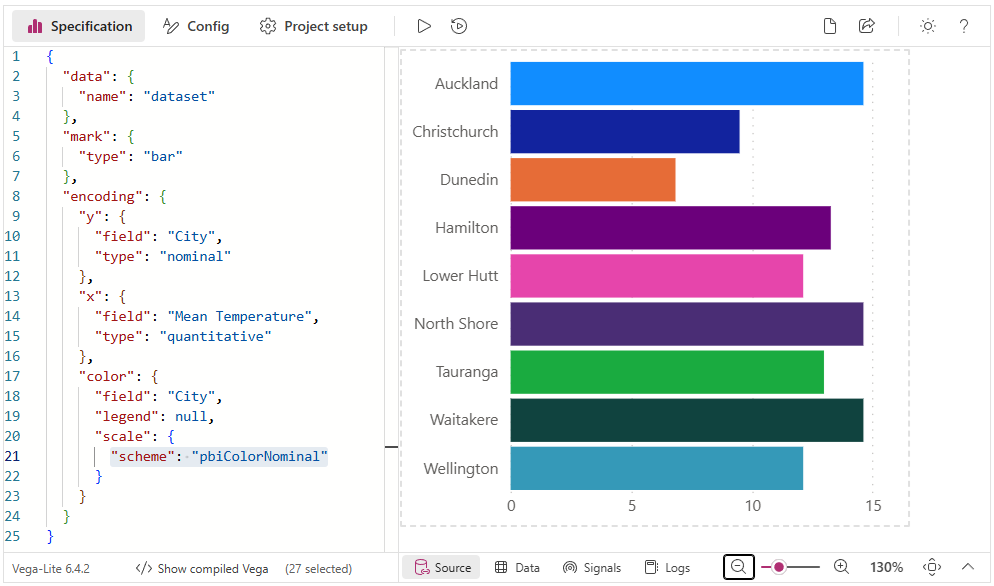
pbiColorNominal
The pbiColorNominal scheme is intended to be used for nominal/categorical discrete categories, and matches the current Power BI theme colors:

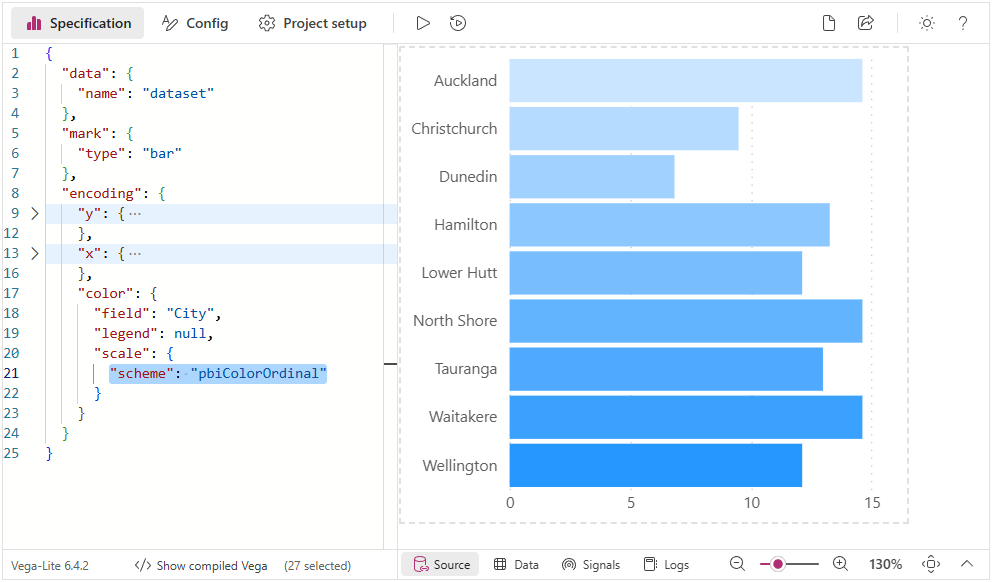
pbiColorOrdinal
The pbiColorOrdinal scheme can be used for ordinal categories, and uses a ramped scale from the Min divergent Color to the Max divergent color from the current Power BI theme (excluding Middle color):

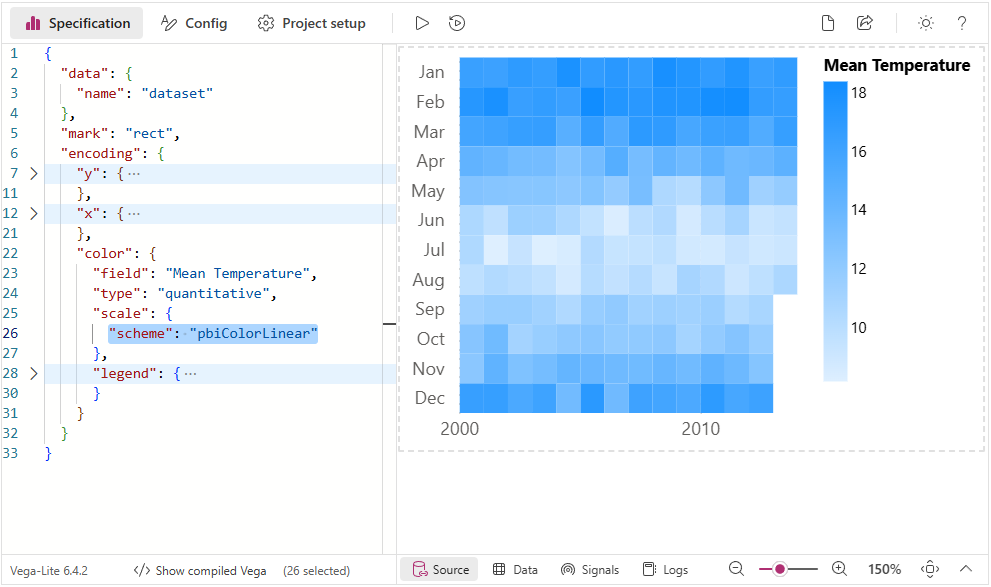
pbiColorLinear
The pbiColorLinear scheme will produce an interpolated gradient from the Min divergent Color to the Max divergent color from the current Power BI theme (excluding the Middle color):
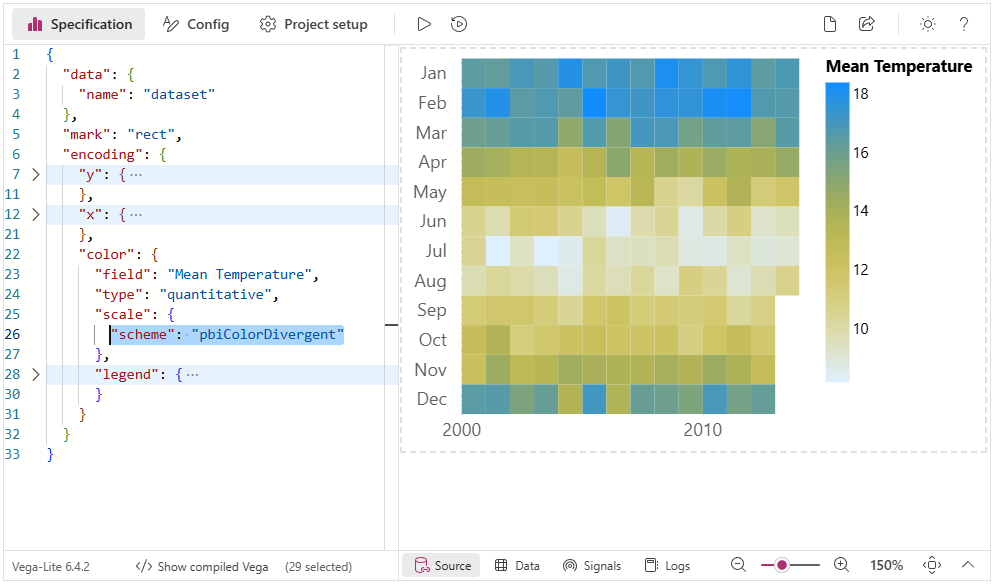
pbiColorDivergent
The pbiColorDivergent scheme will produce an interpolated gradient from the Min divergent Color to the Max divergent color from the current Power BI theme (including Middle color):